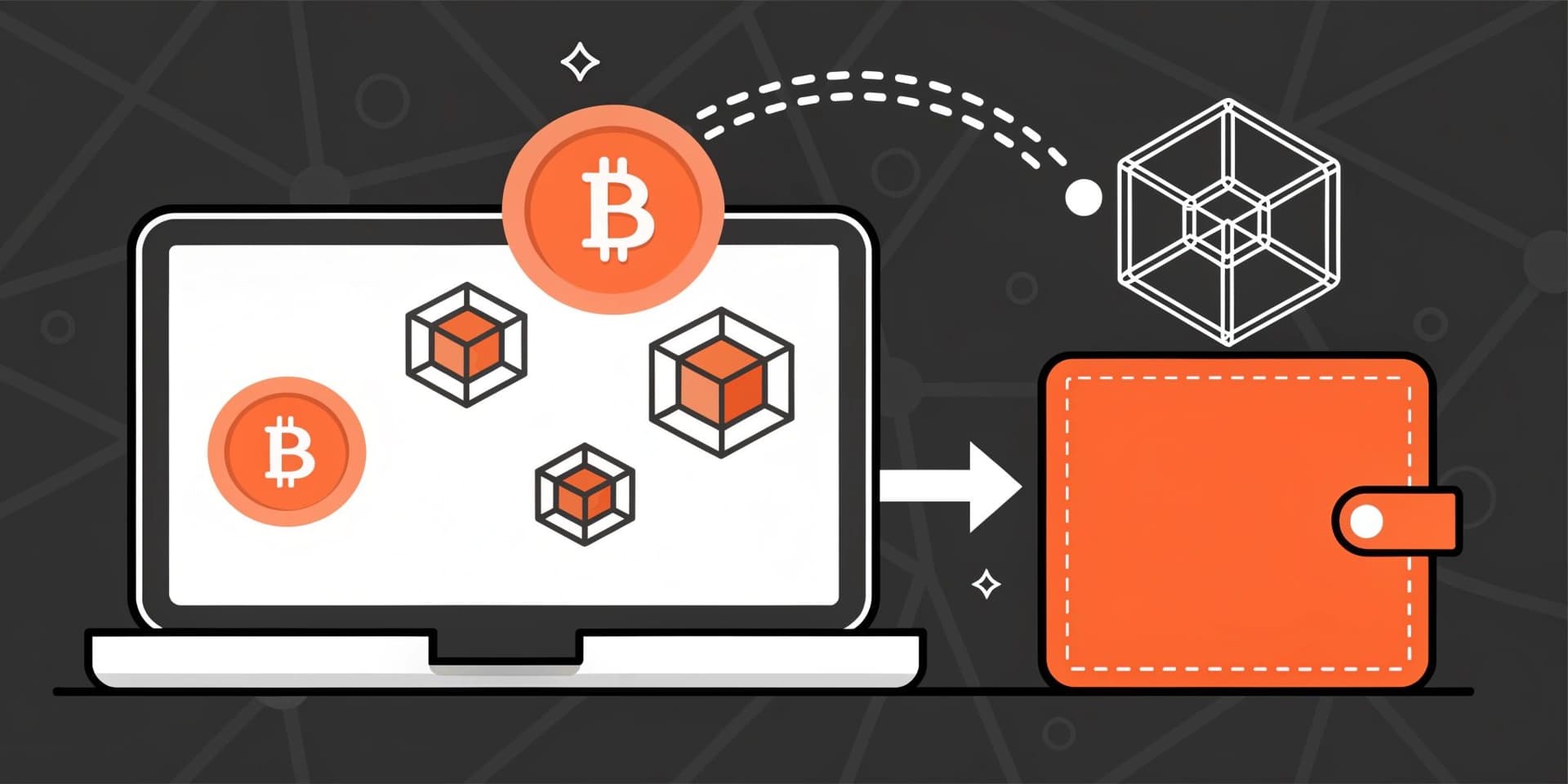
In this tutorial, you’ll learn how to withdraw crypto from Bybit to an external wallet and receive it in Trust Wallet, while keeping control of your keys. The goal is to help you move funds safely and manage everyday crypto activity with more transparency.
This guide walks you through the basic workflow for transferring coins from an exchange to Trust Wallet, including creating a wallet for first-time users. You’ll also learn what to double-check before you confirm a withdrawal, so you can reduce the risk of avoidable mistakes.
Trust Wallet is designed to help you organize tokens, NFT items, and Bitcoin in one non-custodial app.
What Is Bybit?
| Feature | Description |
|---|---|
| Launch | Bybit is a major cryptocurrency exchange launched in March 2018. |
| Supported Assets | Supports buying, selling, and trading Bitcoin, Ethereum, and a wide range of altcoins. |
| Scale | By trading volume, it ranks as the world’s second-largest crypto exchange and serves over 40 million retail and institutional users worldwide. |
| Products | Offers spot markets, derivatives including futures and options, an NFT marketplace, and other crypto products. |
| Availability | Service access is restricted in some locations, such as the United States, the United Kingdom, and mainland China. |
If you want to withdraw from Bybit as fiat currency, the available options depend on your region and account settings. Some users can withdraw fiat to a bank account or cash out through third-party payment services that Bybit supports, while others may need to withdraw crypto first and convert it to fiat on a separate platform before transferring to a bank.
To check how much 1 Tether (USDT) is in Nigerian naira on Bybit, review the price display for pairs where naira is used (often via the P2P marketplace). If there isn’t a direct naira spot trading pair, the P2P offer screen is usually where you can see live buy and sell rates set by merchants.
To find your deposit and withdrawal history in Bybit, open the Assets or Wallet area and look for History (or a similar transaction log). From there, you can filter by deposits or withdrawals, select an asset, and narrow the date range to locate a specific transfer.
What Is Trust Wallet?
| Feature | Description |
|---|---|
| Type | Trust Wallet is a self-custody wallet. |
| Asset Support | Supports more than 10 million assets across 100+ blockchains. |
| What You Can Do | With the app, you can purchase, trade, hold, and swap cryptocurrencies, meme coins, and NFT items. |
| Control | Keeps your digital finances under your control in the fast-moving world of DeFi. |

Why Move Crypto From Bybit to Trust Wallet?
Trust Wallet is self-custodial, so you hold the private keys and your wallet controls access to your crypto. By contrast, when funds are kept on a centralized exchange, the exchange holds custody and governs how assets are handled under its policies.
By moving balances to a non-custodial wallet after trading, you reduce reliance on the exchange for day-to-day access. This can also help limit the impact of exchange outages, suspensions, or other disruptions on your ability to manage your funds.
Prepare for the Transfer
Before you withdraw from Bybit to Trust Wallet, confirm that everything in the withdrawal form is correct. Check the minimum withdrawal amount required for the asset on Bybit, and make sure your available balance covers both the transfer amount and the withdrawal fee shown during the process.
Transaction timing can vary by asset and network conditions. Some transfers may arrive quickly, while others can take longer due to network congestion, exchange processing, or additional account security checks.
Pay special attention to assets that require extra destination details beyond the address—such as a memo, tag, or payment ID. If you omit a required field or enter the wrong value, the transfer may be delayed or fail.
Create a Wallet With Trust Wallet
If you are new to the app, download and set up Trust Wallet on Android or iOS. After installation, follow the steps below to get started.
Set Up Trust Wallet
- Download Trust Wallet from the App Store (iOS) or Google Play (Android).
- Create a new wallet and accept the terms.
- Back up the 12-word recovery phrase and store it securely.
- Verify the recovery phrase in the correct order.
- Access your wallet to receive, send, and store crypto.

How to Move Crypto From the Bybit Exchange to Trust Wallet?
You can move crypto from Bybit to Trust Wallet using the standard withdrawal flow. In some setups, you may also have access to “Deposit From Exchange,” which is designed for exchanging assets through an in-app connection path if available on your device.
Before confirming a withdrawal, verify the destination address and confirm you selected the correct blockchain network; mistakes are typically irreversible.
- Tap Receive on the Trust Wallet home screen.
- Search for and select the desired asset (e.g., Bitcoin).
- Copy your deposit address and paste it into Bybit's withdrawal form. In Bybit, open your Assets or Wallet area, select Withdraw, and choose the asset you want to send. Select the withdrawal network, add the Trust Wallet destination (including any required memo or tag if applicable), enter the amount, and confirm the request. Depending on your security settings, you may also need to complete verification steps such as an authenticator code, email confirmation, or a text message code. If you plan to reuse the same destination, you can save it in Bybit’s address book; later, you can edit details, delete entries, or enable an address whitelist if supported by your account.
- Alternatively, use the Deposit From Exchange option.

Closing Thoughts
This guide covered the main steps for transferring cryptocurrency from an exchange to Trust Wallet. In general, withdrawing from Bybit to a non-custodial wallet can improve how you manage access to your crypto by keeping private keys in your possession.
Because crypto markets and networks can be unpredictable, consistent security habits are important. Store your recovery phrase safely, verify addresses and network selections, and be cautious of phishing attempts before initiating any withdrawals.
Trust Wallet can help you manage a portfolio from one place. If you have questions that depend on your account or network, use community support or consult official help resources.
Disclaimer: This information is educational and not financial advice. Web3 and crypto involve risk. Do your own research before interacting with any applications or assets. Review the applicable terms of service.
Note: Any cited numbers, figures, or illustrations are reported at the time of writing and may change.