For everyday online purchases, many people rely on familiar checkout tools. Within that same environment, some users can buy cryptocurrency, hold supported assets, and move funds, including sending bitcoin using PayPal once they understand the available options, rules, and limits. This guide explains how crypto transfers work, when a dedicated (non-custodial) wallet may be a better fit, and what to expect regarding network fees and verification requirements.
Key Takeaways
Before you go into details, here are the key points about using PayPal as a way to pay or transfer digital assets.
- Transfers to contacts and to an external crypto wallet have been available since 2022. PayPal supports account-to-account transfers and withdrawals to external wallets or exchanges.
- Crypto purchasing and paying with digital coins launched in 2020, but the ability to move assets outward was rolled out in phases. Availability changed over time as functionality expanded.
- To transfer cryptocurrency in the app, you typically need a recipient from your contact list or a blockchain address, plus a completed identity verification step.
PayPal Transfers to External Crypto Wallets: Perks and Pitfalls
After buy options for Bitcoin (BTC), Bitcoin Cash (BCH), Ether (ETH), and Litecoin (LTC) became available in 2021, users continued asking about withdrawals. In 2022, PayPal enabled the ability to transfer eligible crypto to external wallets and exchanges. In practice, your PayPal account behaves like a custodial setup for these assets: you transfer crypto out to your own wallet or an exchange, and you can also move supported crypto between PayPal users.
Because you can buy, sell, and send certain cryptocurrencies and also transact with PayPal USD (PYUSD) in the app, it can feel like you never need a separate wallet. The sections below clarify when that convenience works well and when self-custody is more appropriate for managing risk.
Self-Custody
In a custodial model, the service acts as the custodian. That raises a practical question: who controls the keys?
On a blockchain, each address maps to a cryptographic key pair—one public, one private—that authorizes transactions. Since addresses are pseudonymous, ownership is effectively demonstrated by control of the private key. If you don’t control the private key, you don’t truly control the coins.
With custody, exchanges and PayPal-like services hold the private keys and expose public addresses for visibility. Convenience improves because a trusted intermediary signs transactions for you and you avoid the risk of losing a private key. The trade-off is reduced direct control.
Self-custody remains a common best practice. Third-party withdrawal pauses can happen, and funds under someone else’s control may become temporarily unavailable. If you back up your seed phrase securely and use a non-custodial or hardware wallet, you retain ongoing control of your crypto assets.
PayPal Fees
Fee mechanics you may recognize from the broader PayPal ecosystem can also apply to crypto activity, especially when buying or selling. When you send crypto to an external wallet or receive funds, you generally pay the blockchain network fee; the transfer itself does not necessarily include a separate PayPal charge beyond any built-in transaction costs.
In general terms, PayPal’s pricing includes a spread component and may include a purchase fee depending on the size of the buy. For example, a $1 minimum buy may include a $0.49 charge, while buys up to $200 may be charged $2.49. From just over $200 through $1,000, the fee is often around 1.8%, and for larger amounts it may drop to roughly 1.5%. For some users, standalone exchanges can offer more competitive rates for buy-and-hold activity.

A pragmatic workflow is to purchase supported assets when you see lower fees, then move only the amount you plan to use. Keep in mind that the feature for transferring crypto from PayPal may be restricted, paused, or changed according to PayPal’s policies.
How to Transfer Cryptocurrency From PayPal to Another Wallet Address
Before you start, confirm that your PayPal account is verified for holding crypto. For transfers to an external address, expect an additional identity or compliance step to enable withdrawals.
- Open the Finances area, then navigate to the Crypto section to view balances and current prices.
- Select the cryptocurrency you hold, tap the Transfer arrows, and choose the Send option.
- Enter the destination BTC address by pasting it, typing it carefully, or scanning a QR code from your wallet or exchange. Verify the network carefully—sending BTC to an address intended for a different network (for example, Litecoin) can result in permanent loss because blockchain transfers are irreversible.
- Choose the amount to send. You may enter it by USD value or by crypto units. For BTC, the minimum is 0.001 BTC, and the weekly ceiling for all crypto transfers is $10,000.
- Review the details and only then confirm Send now. A final check helps avoid costly mistakes.
For external sends, the blockchain network fee applies. In the period up to October 2023, Bitcoin network fees often sat below $1 at the median level, but higher demand and congestion pushed fees higher during parts of that month.
How to Send Crypto to Other PayPal Users
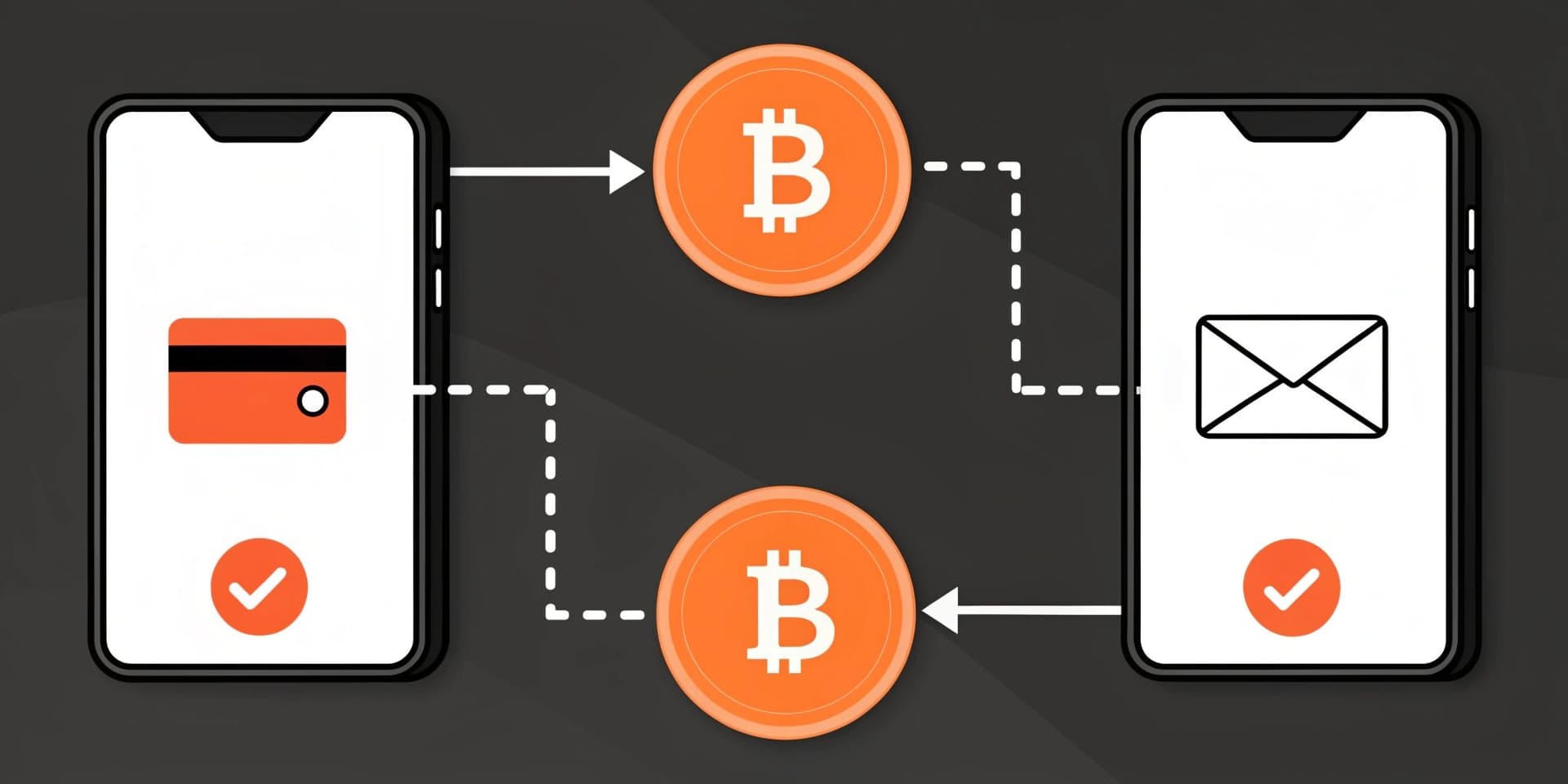
For transfers between PayPal users, PayPal does not typically charge a separate service fee, which can make peer transfers convenient for quick payments. The steps are similar to sending to an external address, except you select a PayPal contact.

- From the Finances tab, open your crypto balance.
- Tap the Transfer arrows and select Send to begin the transaction.
- Choose a recipient from your PayPal contact list and confirm that the account is correct.
- Enter the amount to send in dollars or in crypto units. For internal BTC transfers, the minimum is $0.01, and the total weekly limit across crypto transfers is $10,000.
- Confirm and submit. The recipient must claim the crypto within 30 days; otherwise, the transfer expires and the amount is returned to the sender.
Why PayPal Crypto Matters
When the platform expanded into crypto in 2020, it already had a large base of active accounts worldwide, which helped bring crypto features closer to mainstream users.
Early skepticism was common, especially before external transfers were available. Some people viewed app balances as numbers rather than assets that could be moved on-chain. As send/receive features expanded, it became clearer that supported holdings could be transferred.
PayPal USD (PYUSD) was added as a stablecoin option, supporting use cases that rely on a USD-denominated asset. Reported circulating supply levels around $159 million appeared in the period referenced in the original text. Ongoing questions remain around custody, brand adoption limits, and regulatory oversight, including attention from regulators such as the SEC. Even so, PYUSD is described as a licensed and regulated USD stablecoin in the context of its operations, which can be relevant for longer-term planning.
Conclusion
Compared with some purely custodial or purely self-custody approaches, PayPal’s model can reduce the friction for everyday users who want an on-ramp to sending, receiving, and paying with digital assets. For users who prefer direct control, combining PayPal features with a self-custody wallet remains a common approach.